Sonixd-Redux
Equalizer
Sonixd Redux has two equalizers available in Settings → Equalizer: a 10-band graphic EQ and a 10-band parametric EQ. Both work with the Web and MPV backends.
Graphic EQ
A classic 10-band equalizer with fixed frequencies.
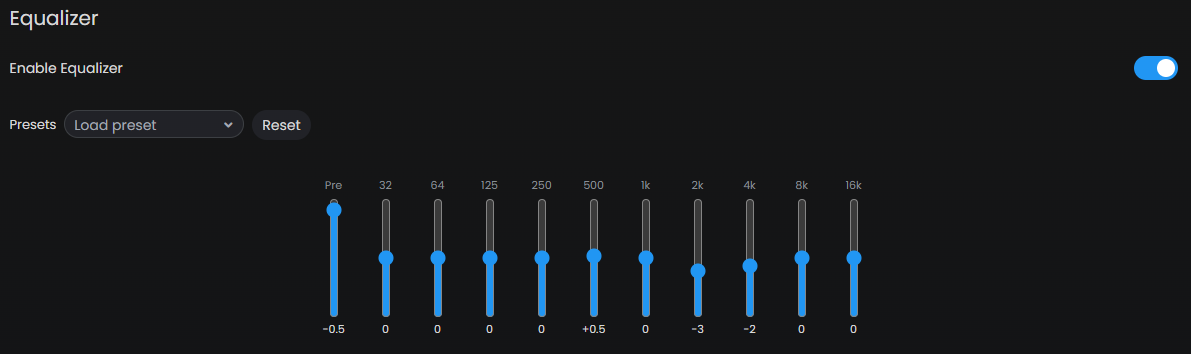
- Enable Equalizer - toggle the graphic EQ on or off
- Preamp - global gain applied before the EQ bands (-20 dB to +20 dB). Use this to avoid clipping when boosting bands.
- Bands - drag each slider to boost or cut at that frequency (±20 dB)
Bands
| Band | Frequency |
|---|---|
| 1 | 32 Hz |
| 2 | 64 Hz |
| 3 | 125 Hz |
| 4 | 250 Hz |
| 5 | 500 Hz |
| 6 | 1 kHz |
| 7 | 2 kHz |
| 8 | 4 kHz |
| 9 | 8 kHz |
| 10 | 16 kHz |
Parametric EQ (PEQ)
A 10-band parametric equalizer giving full control over each band.
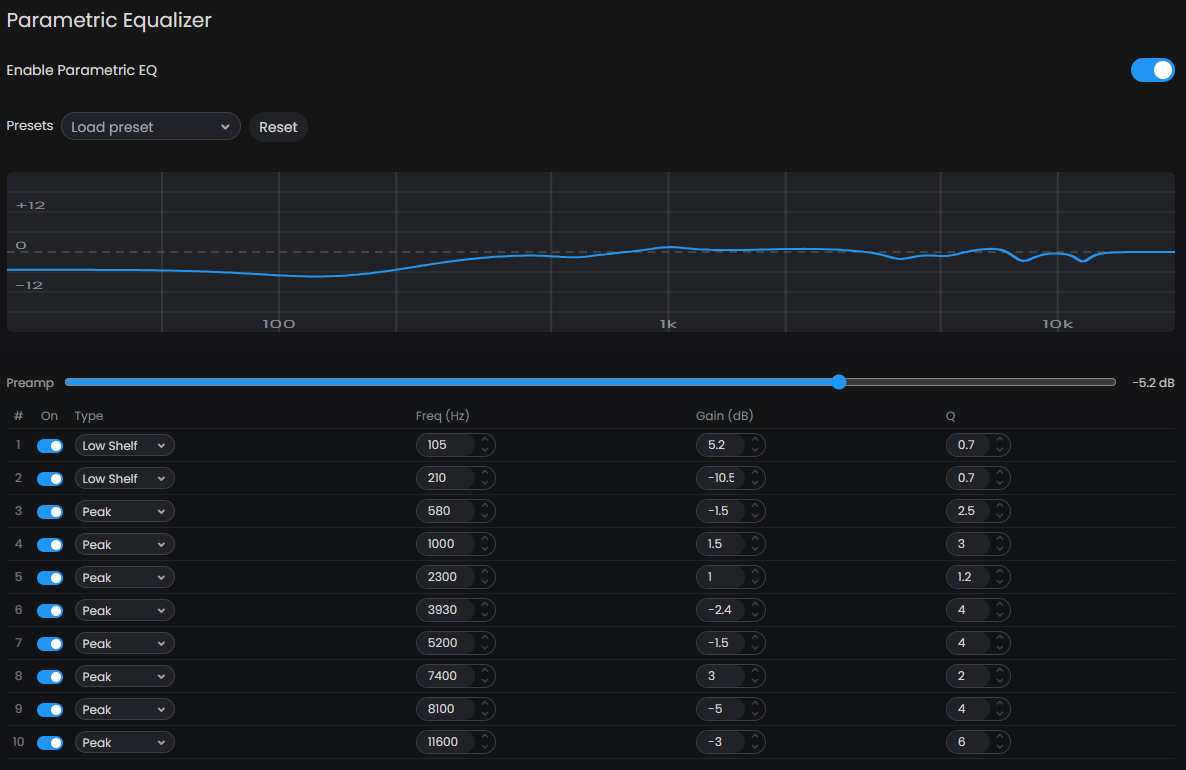
- Enable Parametric EQ - toggle the PEQ on or off
- Preamp - same as graphic EQ preamp, applied before the PEQ bands
- The frequency response curve shows the combined shape of all active bands
Per-band controls
| Control | Description |
|---|---|
| On/Off | Enable or disable this band individually |
| Type | Filter type (see below) |
| Freq (Hz) | Center or cutoff frequency (20–20000 Hz) |
| Gain (dB) | Boost or cut in dB (not used for lowpass/highpass/notch) |
| Q | Bandwidth - higher Q = narrower filter (0.1–16) |
Filter types
| Type | Description |
|---|---|
| Peaking | Bell-shaped boost or cut at the center frequency |
| Low Shelf | Boost or cut everything below the frequency |
| High Shelf | Boost or cut everything above the frequency |
| Low Pass | Cuts frequencies above the cutoff |
| High Pass | Cuts frequencies below the cutoff |
| Notch | Narrow cut at the center frequency |
Presets
Both EQs support custom presets.

- Save custom preset - enter a name and save your current EQ settings
- Load preset - apply a saved preset
- Delete preset - remove a saved preset
Presets are saved locally and persist across sessions.
Tips
- Use the preamp to prevent clipping when heavily boosting bands - pull it down by the same amount as your largest boost.
- Use Peaking bands for surgical cuts to problem frequencies.
- Use Low Shelf / High Shelf for broad tonal shaping (more bass, brighter highs).
- The Q value controls how wide or narrow the effect is - a Q of 1.4 is a typical broad adjustment, while Q of 8+ is very narrow and precise.