Sonixd-Redux
Keyboard Shortcuts
Sonixd Redux supports fully customizable keyboard shortcuts for common actions.
Default shortcuts
| Action | Default shortcut |
|---|---|
| Play / Pause | Ctrl + P |
| Next track | Ctrl + → |
| Previous track | Ctrl + ← |
| Volume up | Ctrl + ↑ |
| Volume down | Ctrl + ↓ |
| Mute | Ctrl + M |
| Search | Ctrl + F |
| Select all | Ctrl + A |
| Remove selected | Del |
| Navigate back | Backspace |
Customizing shortcuts
Go to Settings → Keyboard Shortcuts.
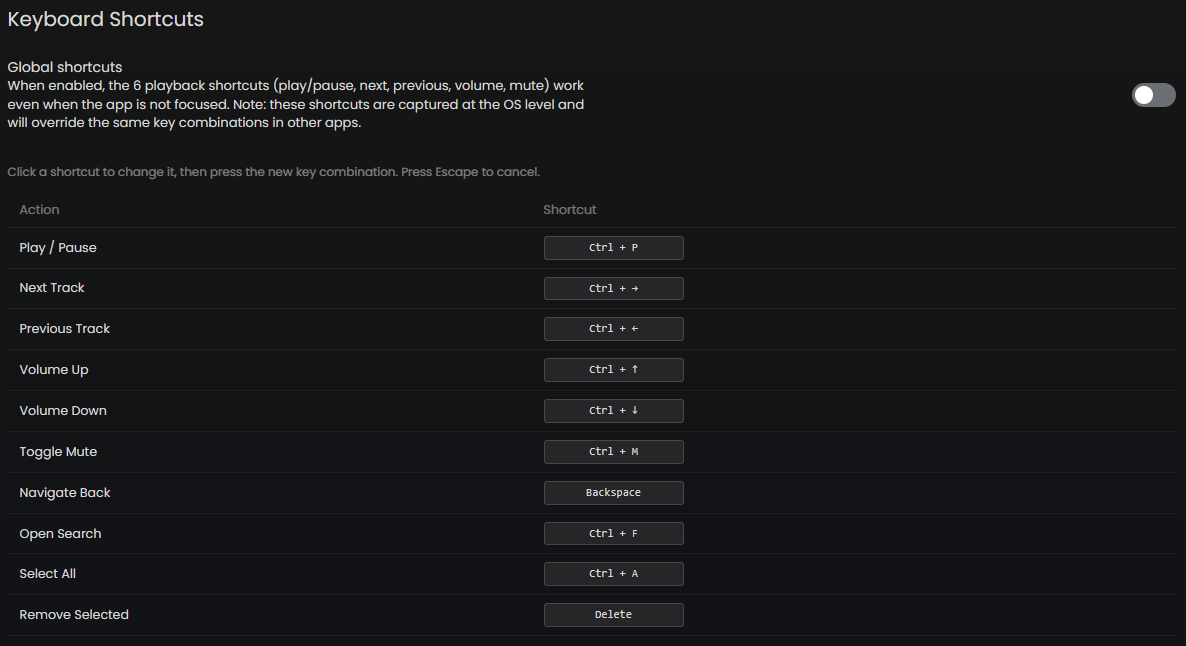
- Click any shortcut in the list to start editing it
- Press the new key combination you want to assign
- Press Escape to cancel without saving
Global shortcuts
When Global Shortcuts is enabled (Settings → Player), the 6 playback shortcuts (play/pause, next, previous, volume up/down, mute) work even when the Sonixd Redux window is not focused - they are captured at the OS level.
Note: Global shortcuts may conflict with other applications using the same key combinations. If you experience conflicts, either disable global shortcuts or reassign the keys.
macOS users: You may need to add Sonixd Redux as a trusted accessibility client in System Preferences for global shortcuts to work.
Media keys
If your keyboard has dedicated media keys (play/pause, next, previous), they work out of the box via the system media transport controls without any configuration needed.