Sonixd-Redux
Keyboard Shortcuts
Sonixd Redux supports fully customizable keyboard shortcuts for common actions.
Default shortcuts
| Action | Default shortcut |
|---|---|
| Play / Pause | Ctrl + P |
| Next track | Ctrl + → |
| Previous track | Ctrl + ← |
| Volume up | Ctrl + ↑ |
| Volume down | Ctrl + ↓ |
| Mute | Ctrl + M |
| Search | Ctrl + F |
| Select all | Ctrl + A |
| Remove selected | Del |
| Navigate back | Backspace |
Customizing shortcuts
Go to Settings → Keyboard Shortcuts.
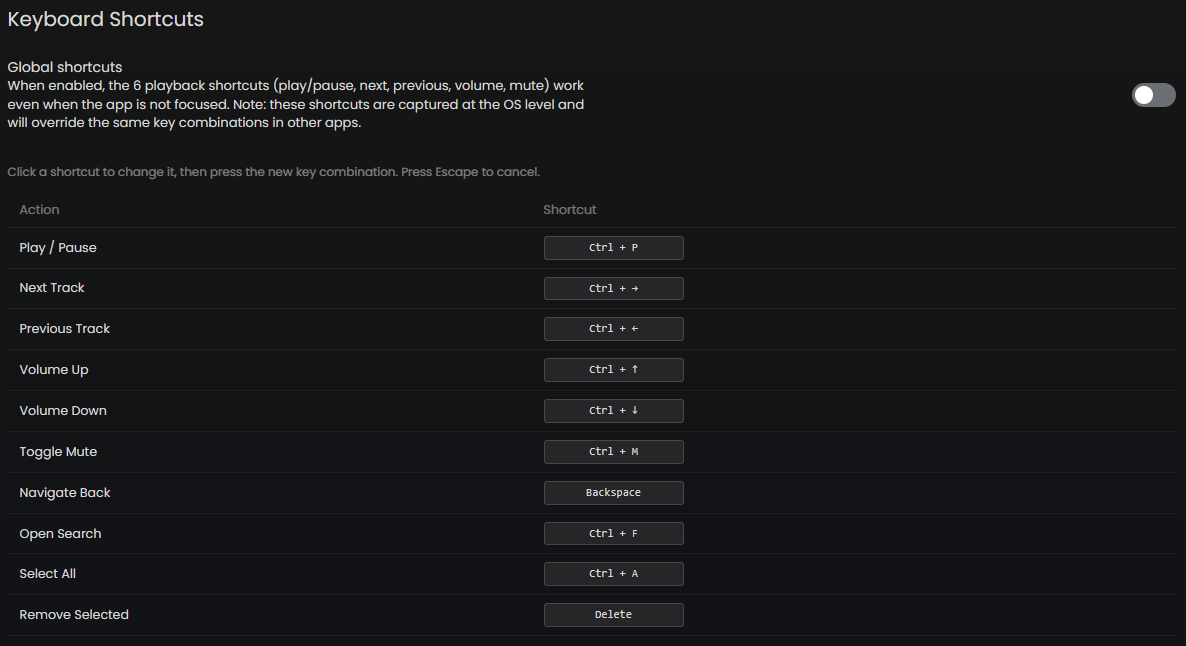
- Click any shortcut in the list to start editing it
- Press the new key combination you want to assign
- Press Escape to cancel without saving
Global shortcuts
When Global Shortcuts is enabled (Settings → Player), the 6 playback shortcuts (play/pause, next, previous, volume up/down, mute) work even when the Sonixd Redux window is not focused - they are captured at the OS level.
Note: Global shortcuts may conflict with other applications using the same key combinations. If you experience conflicts, either disable global shortcuts or reassign the keys.
macOS users: You may need to add Sonixd Redux as a trusted accessibility client in System Preferences for global shortcuts to work.
Media keys
If your keyboard has dedicated media keys (play/pause, next, previous), they work out of the box via the system media transport controls without any configuration needed.
Jukebox mode
All playback shortcuts (including global shortcuts and media keys) work in jukebox mode. Commands are sent to the server instead of controlling local audio.